Switching from an on-premise PBX to a cloud phone system takes more than choosing a provider. Before migration, businesses must review numbers, devices, call flows, network capacity, integrations, user needs, and backup options. A clear cloud PBX migration checklist helps your business identify required features, check network readiness, protect existing phone numbers, and prepare staff before switching to a new system. This guide breaks the process into practical phases, covering system inventory, provider selection, network readiness, number porting, testing, training, go-live, and post-migration checks. Use each step to plan the migration, address risks, and keep daily communication running.
Key Takeaways
Audit Before Starting
Review numbers, devices, call flows, integrations, and network capacity before selecting a provider or setting the cutover date.
Choose The Right Setup
Compare cloud, hybrid, and modern on-premise options against business requirements, costs, existing equipment, and support needs.
Prepare The Network
Test bandwidth, latency, jitter, packet loss, and QoS to confirm the network can support consistent VoIP calls.
Protect Existing Numbers
Start number porting early and verify account details to reduce delays and protect important customer-facing phone numbers.
Test Before Cutover
Check calls, voicemail, IVR, devices, integrations, and user workflows before moving the entire business to the new PBX.
Plan For Continuity
Keep backup connectivity and the legacy PBX available during cutover so you have options if unexpected problems occur.
Review After Migration
Monitor call quality, user issues, costs, and provider performance during the first 30 days to identify problems early.
What A Cloud PBX Migration Checklist Covers
A cloud PBX migration checklist covers the steps required before moving from an on-premise PBX or legacy phone system to a cloud PBX. It helps businesses review inventory, network readiness, number porting, call flows, integrations, and testing requirements. This gives you a clear migration plan to reduce avoidable issues during the transition.
Signs Your Legacy PBX Needs Replacing
Frequent outages, costly repairs, limited remote access, outdated IP phones, and poor integration signal an aging PBX. Businesses can assess whether their current system supports modern communication or needs replacement. When maintenance takes more time and budget than planned improvements, or limited features affect your business, a PBX replacement is a practical option.
Choosing Cloud, Hybrid, Or Modern On-Prem
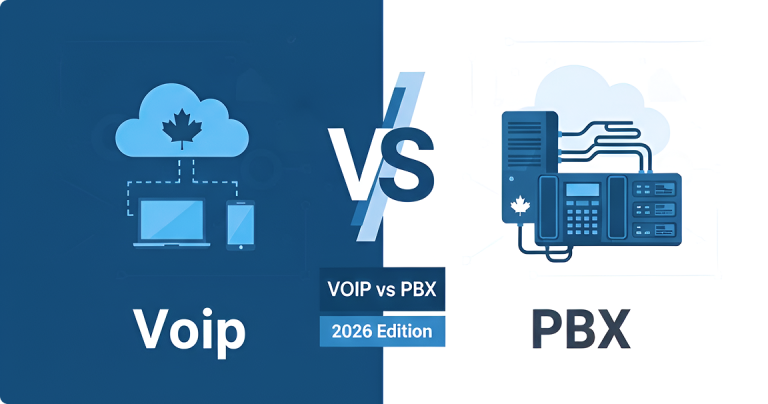
Selecting between cloud, hybrid, or modern on-premise options depends on business requirements, budget, and existing infrastructure. Businesses with an on-Prem PBX can customize their phone system to meet specific operational requirements, while a cloud PBX setup may suit organizations that need flexibility. A hybrid model combines cloud and on-prem and can support a growing business. Evaluating VoIP needs, SIP compatibility, and long-term goals helps create a practical migration approach that matches operational and technical priorities.
Phase One: Inventory, Budget, And Provider
Phase One begins with an inventory of current PBX assets, users, devices, and integrations. A detailed migration assessment identifies requirements before selecting a provider and setting a budget. The assessment details replacement costs, compatibility issues, licensing needs, and the services required for migration.
Phase Two: Network Readiness And QoS
Phase Two focuses on network readiness because VoIP performance depends on stable connectivity. A network audit reviews bandwidth, QoS, latency, jitter, and SD-WAN settings before deployment. Analyzing traffic helps identify issues that may affect call quality. Review SD-WAN, backup connections, and failover options for critical sites. An effective network supports reliable communication after a PBX-to-VoIP migration.
Phase Three: Number Porting And Cutover
Phase Three covers number porting and cutover planning to protect business communication during transition. Accurate account details and coordination with the provider make number porting easier. A planned cutover includes backup options, timelines, and verification steps for incoming and outgoing calls. This reduces the risk of downtime during the cloud phone system migration.
Phase Four: Testing, Training, And Go-Live
Phase Four focuses on testing, training, and go-live preparation before complete migration. Testing confirms call routing, voicemail, IVR, integrations, and user access work as expected. Training helps employees understand IP phones and softphone features before launch. Finally, a pilot group validates the workflow and provides feedback before the final cutover, reducing operational disruption.
Post-Migration Monitoring And 30-Day Review
Post-migration monitoring and a 30-day review help evaluate system performance after deployment. Reviewing call quality, user feedback, provider support, and usage reports helps address recurring issues and document improvements. This review period supports the cloud PBX solution, meets communication needs, and supports ongoing operations.
Practical Tips
List every number, extension, and device
Record every business number, extension, IP phone, softphone, fax line, analog device, and shared handset to prevent missed connections during PBX migration.
Map current call flows and IVR menus
Document every IVR menu, business-hours rule, voicemail path, call queue, and forwarding rule so the new cloud PBX can reproduce essential customer and internal call handling.
Run a bandwidth and QoS test
Test bandwidth, latency, jitter, and packet loss during busy periods to confirm the network can support VoIP calls without disrupting other departments’ workflows.
Submit porting requests early
Submit requests early to start number porting before cutover and reduce delays that could cause you to miss important business calls.
Plan for fax and analog lines
Identify fax machines, alarm panels, elevators, and payment terminals that use analog lines, then confirm compatible replacement options before disconnecting existing services.
Pilot the new system with one team
Test the proposed business phone system with one department to check call quality, devices, CRM integration, voicemail, and user workflows before extending the cloud PBX across other departments.
Keep the legacy PBX live during cutover
Maintain the existing PBX until number transfers, inbound calls, outbound calls, and essential features pass testing, reducing the risk of communication disruptions during the transition.
Common Mistakes to Avoid
Underestimating Internet Bandwidth Needs
Calculate peak call volume alongside daily data use in video meetings, cloud applications and other network traffic to prevent poor voice quality during busy business hours.
Skipping QoS Configuration
Configure QoS to prioritize voice traffic over general network activity, reducing call delays, jitter, and interruptions during periods of heavy usage.
Relying on a Single Connection
Maintain a backup connection with suitable failover so critical calls can continue during failure of the primary connection.
Choosing a Provider on Price Alone
Compare contract terms, network coverage, support response times, uptime commitments, and backup options alongside monthly fees to avoid unexpected costs and service limitations.
Copying Old Call Logic Unchanged
Review existing IVR menus, business hours, call queues, and branch routing before migration to remove unnecessary steps and make customer calls easier to route.
Going Live Without User Testing
Test inbound and outbound calls, transfers, voicemail, conferencing, and emergency calling requirements with staff at each location before approving complete migration.
How long does a cloud PBX migration take?
A cloud PBX migration may take a few days to several weeks, depending on business size, number of locations, system complexity, integrations, and number porting. A small setup with few users may move faster than a multi-site business. Spare some time for assessment, configuration, testing, staff training, and the planned cutover.
Can I keep my existing business phone numbers?
In most cases, you can retain existing business numbers through number porting, which transfers numbers from your current carrier to the new service. Confirm number porting requirements and timing with the chosen provider before setting a cutover date or canceling existing service.
What internet speed do I need for a cloud phone system?
Required internet speed depends on the number of simultaneous VoIP calls and other network activity. A proper network analysis should assess bandwidth, latency, jitter, packet loss, and peak usage rather than relying on download speed alone. QoS can also prioritize voice traffic when calls share the connection with other applications.
Will there be downtime when we switch?
Some downtime may occur during cutover, but careful preparation can limit disruption. Test the cloud PBX, verify call flows, complete number porting, and maintain the existing system until the new service is ready. A defined cutover window, backup connection, and rollback plan provide additional protection if problems arise.
How much does it cost to migrate from PBX to VoIP?
PBX-to-VoIP migration costs vary by user count, provider fees, phone hardware, number porting, network upgrades, integrations, and existing equipment. A realistic budget should include setup, licenses, devices, adapters, training, and temporary dual-system costs. Reviewing the full inventory before selecting a provider helps identify expenses that monthly pricing may not show.
Can I keep using my existing desk phones?
Existing desk phones may work with a cloud PBX if the models are compatible and can be configured for the chosen service. Some phones may need firmware updates or settings changes, while others may require replacement. Check device models, license needs, and provider requirements before budgeting, and test a sample phone before migration.