Is your current phone bill eating into your overhead?
For most Canadian entrepreneurs, the monthly telephone bill is a source of frustration. You see items on the line that you don’t use services, charges for long distance that seem outdated, and hardware maintenance fees that are piling up.
Here is the reality: The choice between Voice over Internet Protocol (VoIP) and Private Branch Exchange (PBX) is no longer a matter of technology, it is a matter of survival and agility in a hybrid-first world.
In 2026, this will be the choice between how your team works together, how you serve your clients from Vancouver to Halifax and also, ultimately, how much profit you keep. This guide will help to remove all the jargon and help you find a clear path forward.
Find Out Which Phone System Saves You More
What You Will Learn
- The fundamental difference between PBX and VoIP architecture.
- A transparent cost analysis of both systems in Canadian Dollars (CAD).
- Why regulations like PIPEDA and CRTC compliance matter for your choice.
- How CanComCo helps you navigate these options without bias.
What is PBX (Private Branch Exchange)?
A Private Branch Exchange (PBX) is the traditional workhorse of business telephony. Picture a server closet in your office, filled with wires and blinking lights. That is the brain of a PBX system. It creates a private internal network, allowing employees to call each other and route external calls to specific extensions.
Types of PBX Systems
- HD Voice Quality: This makes every call sound great. It uses smart tech to clear out background noise. Your calls will sound as clear as a face-to-face talk.
- Multi-level Auto-attendant: This is like a digital front desk. It guides callers through menus so they find the right person. It handles many calls at once without needing a human to answer.
- Smart Call Routing: You can send calls to the right person based on the time or where the caller is. This makes sure every customer talks to an expert right away.
- Call Lines and Groups: These tools manage busy times. They put callers in a neat line. They can also make many phones ring at once so no one misses a call.
- Voicemail-to-Email: The system turns voice clips into text and sends them to your mail. Busy bosses can read their messages in a meeting instead of listening to long tapes.
- Large Conference Calls: Huge teams can meet with ease. These platforms stay stable for hundreds of people at once. This makes it simple for teams across the globe to talk.
- Video and Screen Sharing: Modern systems have video built-in. Teams can show their work or designs on the screen in real-time. This helps everyone work better together.
What is VoIP (Voice over Internet Protocol)?
Voice over Internet Protocol (VoIP) converts your voice into digital packets. These packets travel over the internet just like an email to reach the recipient. Once there, they are reassembled into audio.
How VoIP Technology Works
When you speak into a VoIP device (a desk phone, softphone, or mobile app), the system digitizes the sound. It compresses this data using codecs to ensure speed and HD voice quality. The data travels via your internet connection to a VoIP provider’s data center (like those of RingCentral, Zoom Phone, or 8×8), which then routes the call to its final destination.
Because it operates over the internet, VoIP bypasses the heavy infrastructure costs of traditional telephony.
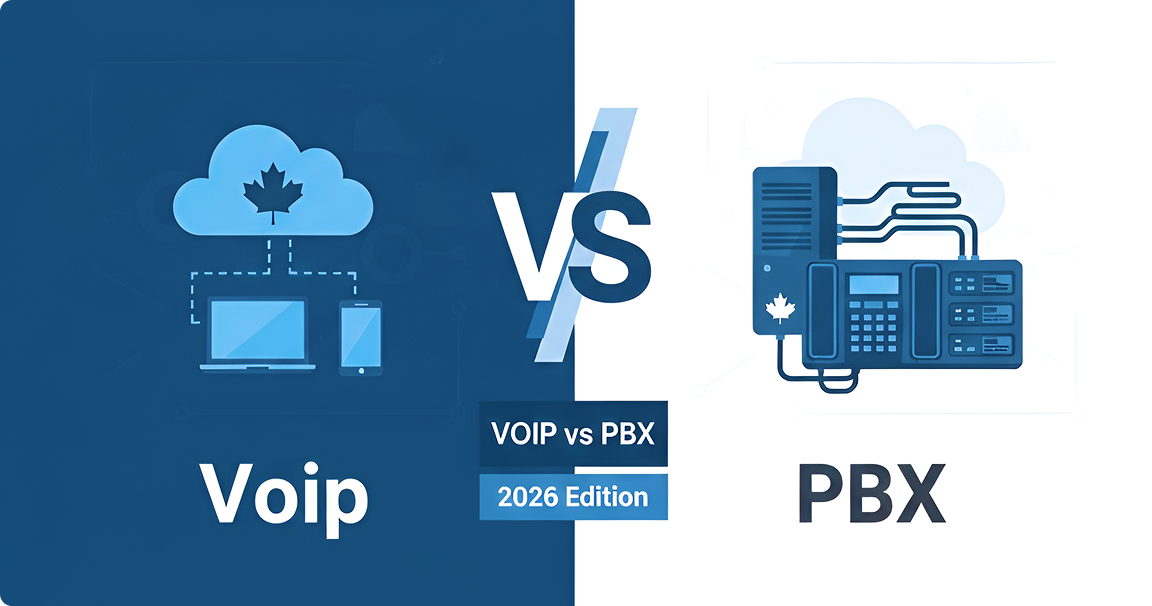
VoIP vs PBX :- Quick Comparison at a Glance
| Feature | Traditional PBX | VoIP (Cloud Communications) |
|---|---|---|
| Primary Connection | Copper wires / PSTN | Internet / Broadband |
| Initial Investment | High (Hardware heavy) | Low (Software focused) |
| Scalability | Difficult (Add new wires/hardware) | Instant (Click to add users) |
| Maintenance | Requires IT staff or technicians | Handled by provider remotely |
| Mobility | Low (Tied to desk) | High (Work from anywhere) |
| Call Quality | Excellent (Landline stability) | Excellent (Dependent on bandwidth) |
Compare VoIP and PBX Pricing Side-by-Side
10 Key Differences Between VoIP and PBX
1. Initial Setup Costs
Traditional PBX requires a significant capital expenditure (CapEx). You must purchase servers, phones, and pay for complex wiring installation. In contrast, VoIP operates on an operational expenditure (OpEx) model. You pay a monthly subscription per user, often with zero upfront hardware costs if you use softphones.
2. Maintenance Costs
With an on-premises PBX, if a server fails, you pay for the technician and the parts. Consequently, downtime can be expensive. VoIP providers handle all maintenance in the cloud, meaning updates and fixes happen automatically without disrupting your business.
3. Scalability
Growing a PBX system is painful. Adding five new sales agents might require buying new line cards or upgrading the server. With VoIP, you simply log into a portal, add five licenses, and your team is live instantly.
4. Mobility and Remote Work Support
This is the dealbreaker in 2026. PBX systems shackle employees to their desks. VoIP empowers remote teams and sales teams to use mobile apps (iOS/Android) or laptops. A call to your office number rings on your mobile device, whether you are in a coffee shop in Toronto or a client site in Calgary
5. Features
Legacy systems charge extra for features like voicemail-to-email or video conferencing. VoIP platforms from providers like Nextiva or Vonage include Unified Communications (UCaaS) features video, chat, SMS, and file sharing as standard.
| Feature | PBX Capability | VoIP Capability |
|---|---|---|
| Auto-Attendant | Basic / Extra Cost | Advanced / Included |
| Video Conferencing | No | Yes (Integrated) |
| CRM Integration | Expensive / Complex | Seamless (Salesforce, HubSpot) |
| Call Analytics | Limited | Real-time & Detailed |
| SMS Texting | No | Yes (Business SMS) |
6. Call Quality and Reliability
Historically, PBX won this battle. However, modern fiber internet and 5G have leveled the playing field. With sufficient bandwidth and Quality of Service (QoS) settings, VoIP offers HD voice quality that often surpasses traditional landlines.
7. Security and Compliance
Canadian businesses must adhere to PIPEDA compliance and CRTC regulations. On-premise PBX security is your responsibility. Conversely, enterprise VoIP providers invest millions in encryption (TLS/SRTP) and data security, ensuring your client communication remains confidential.
8. Installation
Installing a PBX system can take weeks of drilling and wiring. VoIP installation is virtually plug-and-play. You plug an IP phone into an ethernet port, and it configures itself.
9. Hardware Requirements
PBX demands proprietary phones and heavy servers. VoIP is device-agnostic. You can use IP phones, existing analog phones with a VoIP gateway, or just headsets connected to computers.
10. Geographic Flexibility
A PBX system ties your phone number to a physical location. Moving offices means changing numbers or paying for forwarding. VoIP numbers are virtual; you can keep your 416 or 604 area code regardless of where your physical office moves.
Find the Best Phone System for Your Team
VoIP vs PBX :- Pros and Cons Analysis
- Reliability: Works without internet; only power is needed.
- Control: You own the hardware and data completely.
- Sound Quality: Not susceptible to internet jitter or latency.
- Cost: Prohibitively high upfront and maintenance expenses.
- Rigidity: Difficult to add features or users.
- Obsolescence: Technology is fading; support is becoming scarcer.
- Cost Savings: Reduces phone bills by up to 50% for many businesses..
- Advanced Features:Access to IVR, call recording, and AI transcription..
- Integration:Connects with Microsoft Teams, CRMs, and other business tools..
- Global Reach:Canada-US calling is often included in flat-rate plans.
- Dependence: Internet If your internet goes down, your phones go down (unless you have mobile backup).
- Emergency Calls: E911 implementation requires accurate location registration.
Which Phone System is Right for Your Canadian Business?
When to Choose Traditional PBX
You should consider sticking with PBX if:
- You have poor internet connectivity in a rural location.
- Your business requires absolute internal line security (e.g., specific high-security government facilities).
- You have already invested heavily in recent hardware and have a large internal IT staff to manage it.
When to Choose VoIP
You should switch to VoIP if:
- You want to lower your monthly CAD pricing and eliminate maintenance contracts.
- You have remote teams or employees working in a hybrid work model.
- You need scalability to grow without buying new hardware.
- Customer service and client communication are critical, requiring tools like call routing and analytics.
Get a Personalized Phone System Recommendation
Frequently Asked Questions
Contact CanComCo today for a free, transparent audit of your current telecom spending. Let us find the perfect Unified Communications solution to drive your business forward.
Yes, as long as you have a stable connection to the internet. Modern codecs and high speed fiber in major Canadian cities provide crystal clear HD voice.
Standard VoIP requires the internet. However, most providers still have a mobile app failover. If the office internet goes down, calls are automatically diverted to the cell phones of your employees via 4G/5G data networks.
Absolutely. This is the main advantage of VoIP phone system montreal. An employee in Montreal uses his system extension the same as a colleague in Vancouver, and internal communication is for free and seamless.
Many times they are used interchangeably. On the other hand, “Hosted PBX” is a description of the architecture (the equipment is hosted elsewhere), whereas VoIP is a description of the method of transmission (voice over internet). Most Hosted PBX system providers today are VoIP based.
Not necessarily. You can use “Softphones” (apps on your computer or mobile). If you prefer to go with a physical device, you will need IP phones, or a VoIP gateway to adapt your old analog phones.
We are your impartial advisor. We analyse your existing bills, usage and needs. Then, we take advantage of our relationships with top providers such as RingCentral, Avaya and Microsoft Teams to negotiate the best rates and terms for you. We do not sell you our system, we find you the right system.
Yes. Most of the top VoIP platforms provide native integration with Salesforce, HubSpot, Zendesk and Microsoft 365. This makes customer details pop up automatically when they call to increase your team’s efficiency.
Usually, it becomes obsolete. However, there are some hybrid solutions that enable you to use legacy hardware for a short period of time. We recommend a complete transition to cloud based hardware (IP Phones) to ensure maximum access to features.
Stop Overpaying for Outdated Phone Systems